SQL Security From Top to Bottom - Part01: Authentication vs Authorization
- 4 minutes read - 823 wordsSecurity Series
SQL Server security is a big topic, but it doesn’t have to be daunting. In this series, I’ve broken it down into basic components. And some not so basic components. I don’t plan on hitting every security topic in SQL Server - there are far too many, but I’ll hit the major areas and some specialty topics I’ve worked with and researched.
I’m using my PASS East 2026 presentation as the foundation, as well as previous posts I’ve created on advanced security topics. You can refer to those posts and the PASS presentation for a sneak peak.
Authentication Vs Authorization
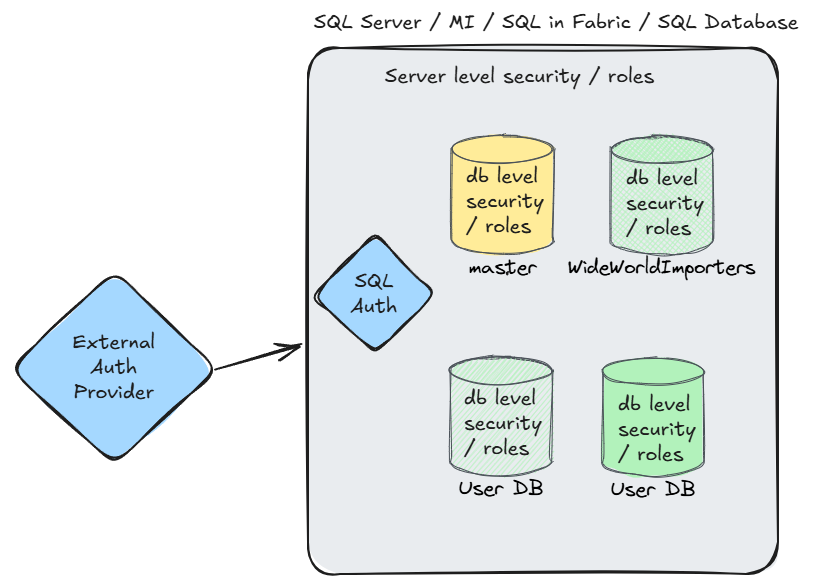
Authentication and authorization are easily confused concepts. Both are required to access resources on SQL Server (or Azure SQL DB, or Fabric, or SQL Server MI, etc.). As an end-user, you probably don’t care about the difference. If you are setting up security in a database or do database development, you absolutely need to know the difference. It comes down to verifying who you are (i.e., the login) and what tasks you can perform and what objects you can access.
Authentication
Authentication happens first when trying to access SQL Server. Authentication is the process of validating the login. Is this the actual login (user name), have they proven it (via password, etc.), are they allowed to access the system? This is where you would typically enter your user name (login) and password, or where the service account is passed into the system.
I’m hesitant to say this is more important than authorization because they both work together. Security works in layers. This is one of your first defenses. It’s why processes such as Multi-Factor Authentication (MFA) have become standard for most things - layers of security. Authentication must happen before database access is granted.
Logins
Authentication in SQL Server normally happens via logins. A login can be an Active Directory user or group, an Entra (Azure Active Directory) user or group, a SQL login that consists of a username and password and a few other specialized logins. I’ll go into login details in a future post.
Checking Authentication
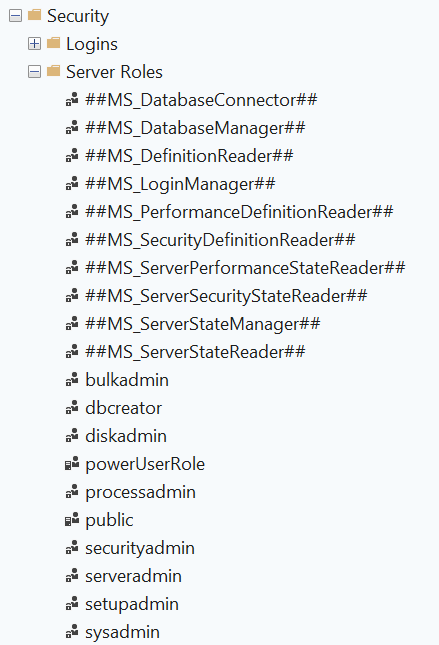
The DMV sys.server_principals can be used to check the logins for a system. There are older system tables and views, but I’m sticking to the newer DMVs in this discussion. This DMV also contains information about server level roles, user defined server roles and certificates. I prefer DMVs for verifying access since it is repeatable and scriptable, but you can also use SSMS to get the same information.
Logins / Server Principals
SELECT *
FROM sys.server_principals
Server Principal Results
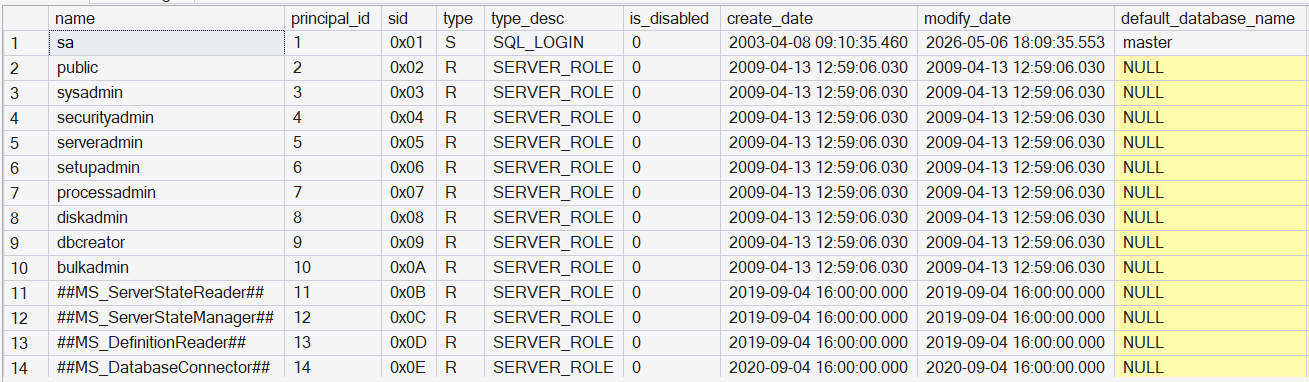
SSMS Server Principals
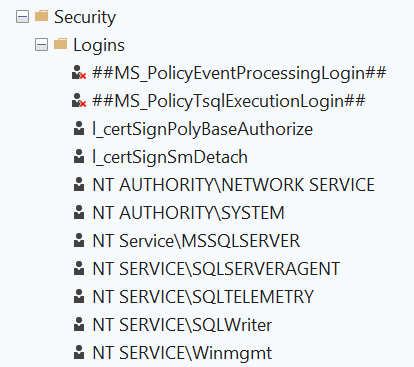
SSMS Server roles
Authorization
Authorization happens after authentication. Once the login is authenticated, the server knows the login can be trusted. It is verified as authentic. The next step is authorization. Authorization specifies what a user (usually mapped from a server login) can access and what functions the user can perform. This includes server level items, such as creating a database or performing a backup, and database level items, such as creating a table or performing a SELECT statement on a table. Even items as simple as metadata about the system are controlled by authorization. When you think of security, this is probably what you are considering.
Users
Users the primary method for assigning authorization. Users are created in databases and they are mapped to server logins. Since they are mapped from a login, it’s possible the user name (database principal) won’t match the login name (server principal).
Contained Users
There is a special user category that is also used for authentication, not just authorization. Contained users are local to a database. They are independent from other users in the same way that SQL logins are independent between servers. The advantage of using a contained user is it makes the database more portable - users don’t need to be attached to server logins during the restore process.
Contained users aren’t listed at the server level in the server principals table, only the database principals table. I’ll discuss these in more detail in a future post.
Checking Authorization
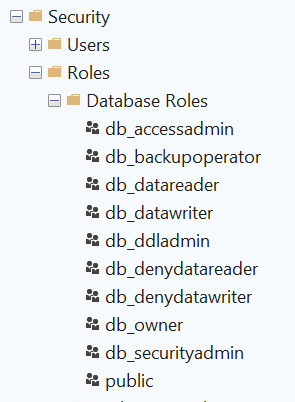
Similar to how sys.server_principals is used to examine logins, the DMV sys.database_principals is used to verify users in a database. Like the server version, sys.database_principals also contains information about database level roles. This includes both built-in roles and user defined roles.
Users / Database Principals
SELECT
	name
	,principal_id
	,type
	,type_desc
	,default_schema_name
	,authentication_type
	,authentication_type_desc
	,is_fixed_role
	,create_date
	,modify_date
FROM sys.database_principals
Database Principal Results
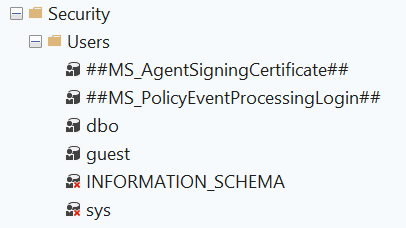
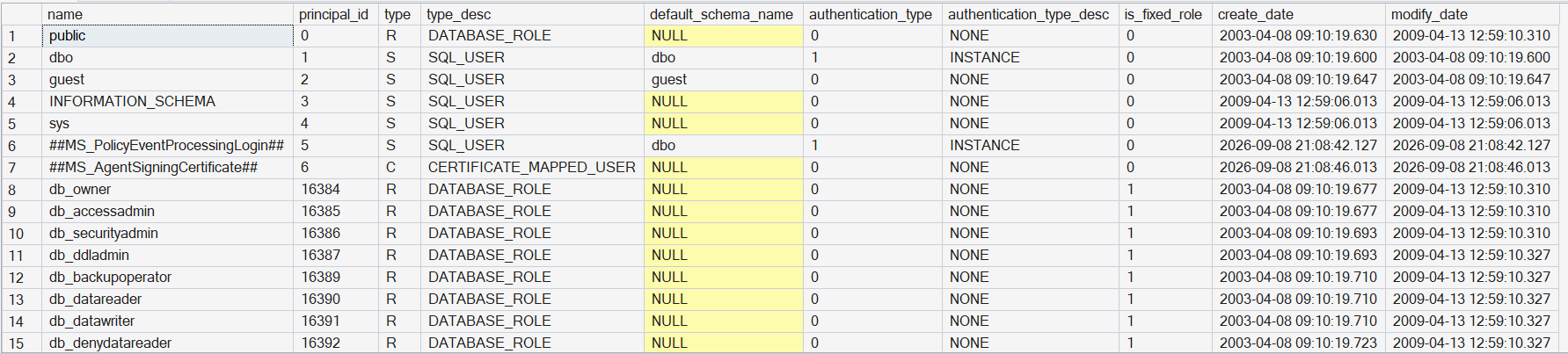 The SSMS location for database users.
SSMS Database Principals
SSMS Database Roles
High-Level View of Authentication / Authorization
Summary
This is the first post of many I am preparing on SQL Server security. Authentication and authorization are foundational topics. I’ve seen them confused many times, but the basic concepts are already familiar to most technical and even non-technical users. Remember that authentication ensures that the user accessing the system is verified as authentic and authorization specifies what that user can access.